 Client Testimonial - Final Edit
 Video Asset Management Powered By 
Put Every Video Asset to Work
Everything we produce for you lives in Vysual — your private, searchable video library. Find final videos, social clips, and reusable footage in seconds, share them with your team, and request the next video from the same place, without another round of scoping calls.
The Problem
Sound Familiar?
Where's that video we shot last quarter?
Can someone find the updated logo?
I know we have photos from that event—somewhere.
Your content is an asset. But when it's scattered across drives, folders, and email threads, its value is lost.
 Untitled Folder Client Interview Final Testimonial(2).mp4 Final Videos Untitled Folder 2
  Final Testimonial.mp4
  Final Testimonial(5).mov
  Final Testimonial(2).mp4
  interview photo.png
  facebook-testimonial.mp4 doNOTuse.mp4 DSC-2398774.jpg DSC-2832324.jpg Client Testimonial - Final Edit Product Demo - Spring Launch Brand Story v3 Social Teaser - 30sec Event Keynote Cover Instagram Story Template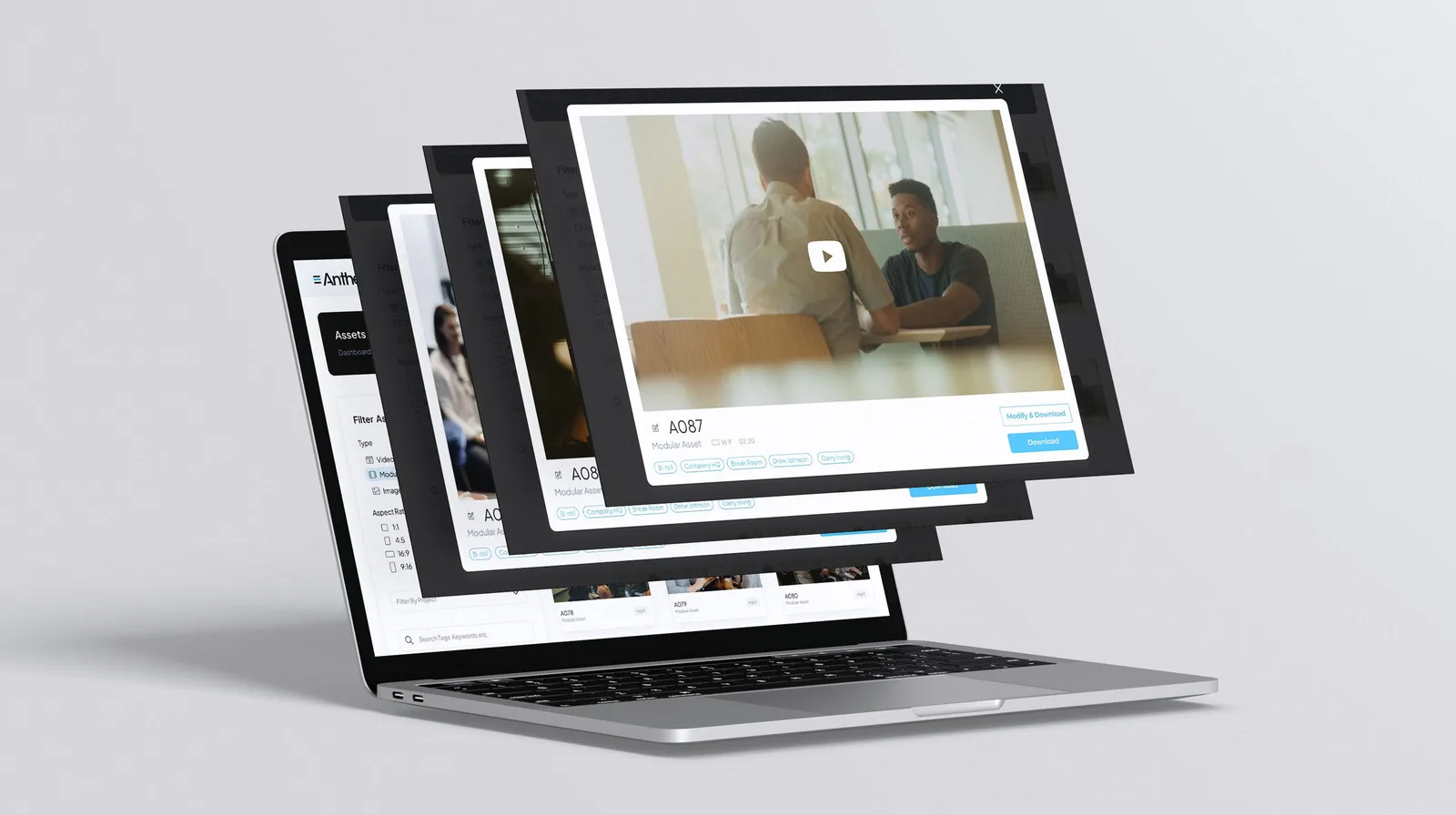
How We Solve It
One Place For Everything You've Made
Anthem doesn't hand you a folder of files and walk away. Every video we produce is delivered into Vysual — tagged, searchable, and ready to use. Final cuts, social versions, and the raw footage underneath them all live in one library your whole team can reach. It is where your content lives, and it is where the next piece of it starts.
Filter Assets
Search All terms Any terms
Search tags, keywords, asset names...
Exclude Tags
Tags to exclude...
Filter By Project
All Projects
Type
Orientation
The Platform
Built For The Complexity of Modern Media
Most DAMs were built for images and PDFs. Vysual was built for marketing teams managing video content across departments and campaigns.
One-Stop Shop
Need Something New? Start From What You Have
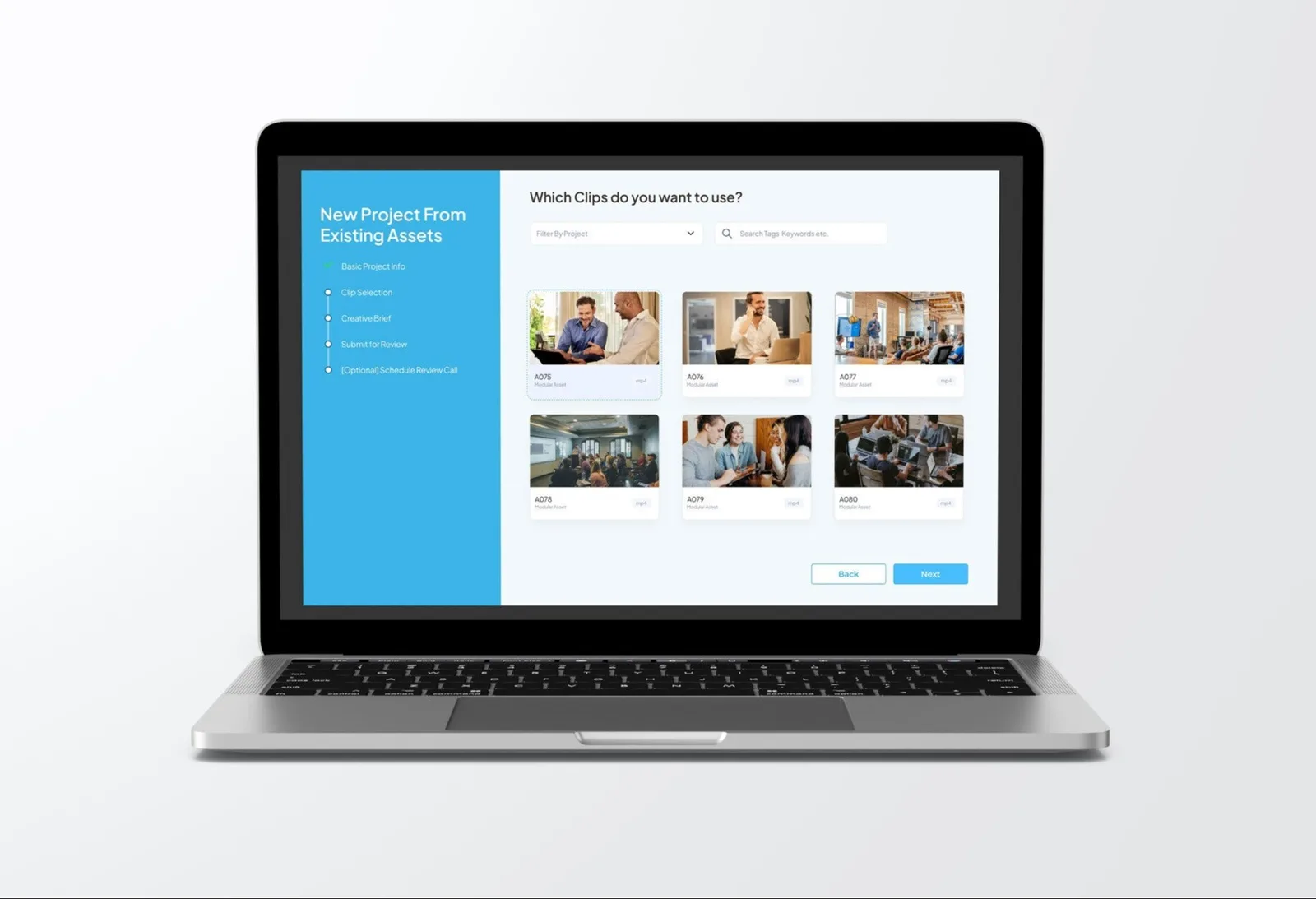
Requesting a new video shouldn't mean starting a new project from zero. Open Vysual, pick the clips you want to use, add your direction, and send it to our team. We cut it and deliver it back into the same library — no scoping call, no new quote, no waiting on a shoot you have already paid for. The footage you own becomes the campaign you need.
How Requests Work
From Existing Footage To New Content
The same library that stores your work is the front door for the next piece of it.
1. Pick Your Clips
Filter the library by project, keyword, or aspect ratio and select the footage you want to build from.
2. Add Your Direction
Write the brief in the request itself — the cut you want, who it's for, and where it's going to run.
3. Get It Back, Filed
Our editors deliver the finished piece into the same library, tagged and ready for the next team that needs it.
Why Teams Stay
Everything You And Your Media Library Deserve
One library for every asset you have paid to create, open to the people who need it and closed to the people who don't.
All Your Media, One Home
Videos, photos, graphics, documents, audio — stop hunting across drives and folders.
Find Anything Fast
Search by campaign, keyword, asset type, or aspect ratio — find last year's product video in seconds.
Control Who Sees What
Sales gets product demos. Leadership gets investor decks. Everyone gets what they need, nothing they don't.
Share Without Worry
Send secure links to agencies and vendors. Control downloads. Track who has accessed what.
Move Fast
Bulk download the assets for a campaign. Multi-select files for quick sharing. No more one-at-a-time.
Make It Yours
Add your logo and brand colors so Vysual feels like an extension of your brand.
Start a Video Project
Launch a Podcast
Add A Video Partner
Ready to Lead with Video?
Let's Talk
Schedule A Call Today!